Find the right myGEZE Connectivity solution for door and window control
Greater safety, efficiency and comfort: the benefits of building automation and smart, networked systems are many. But how much networking and ease of use does your building actually need? And which myGEZE Connectivity solution best suits your requirements and your current situation? In this guide, you will find helpful planning tips and discover which solutions are suitable for visualising and controlling networked doors and windows in your building.
Why is networking doors and windows useful?
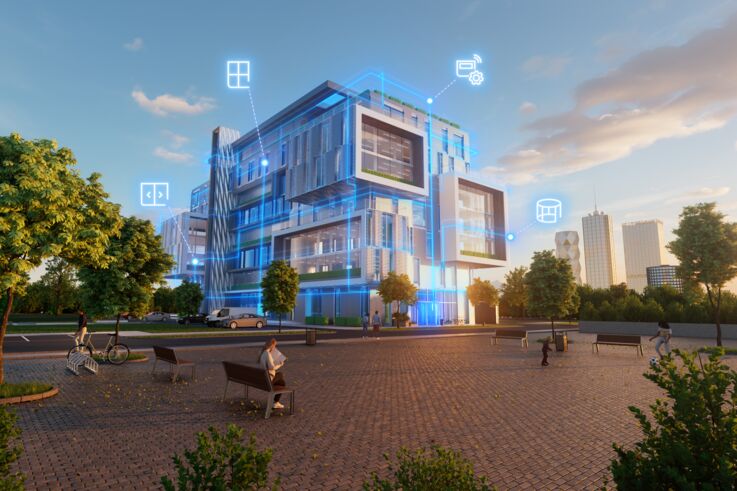
GEZE window and door drives can be integrated into a building automation and control system via open interfaces. © GEZE GmbH
Whether in hospitals, hotels, shops or public buildings, automatic doors, windows, rescue route technology and smoke and heat extraction systems (SHEV) fulfil important functions in modern buildings.
The intelligent networking and interoperability of these systems make it possible to monitor their status centrally, coordinate functions in a targeted manner and respond quickly to changes. If doors and windows are also networked with other subsections, this brings further benefits – ranging from greater ease of use and more efficient building control unit to improved energy efficiency.

Which myGEZE Connectivity solution is best suited to which application scenario?
myGEZE Control provides the technological basis for networking. © GEZE GmbH
In myGEZE Visu, you can view the status of all networked doors and windows and take deliberate action. © GEZE GmbH
There are various options available for visualising, monitoring and controlling technical building systems. Which solution is appropriate depends, amongst other things, on the size of the building, the existing infrastructure, the product systems involved and the requirements of the respective users. As the number of automated door, window and safety systems increases, so does their complexity: statuses must be reliably monitored, functions coordinated and relevant information clearly presented during day-to-day building operations.
Networked door and window systems can, for example, be integrated into an existing building automation control system (BACS) or a physical security information management system (PSIM). In addition, GEZE offers two proprietary solutions – myGEZE Visu and myGEZE Control Viewer – for the visualisation and operation of networked systems.
myGEZE Control forms the technological basis for networking. The platform integrates the connected GEZE systems and makes their data, logic and interfaces available to higher-level solutions. This provides a central foundation for the smart networking of doors, windows and safety systems.
There are three typical application scenarios built on this foundation:
| Requirement | The right solution | Typical application |
|---|---|---|
| Existing building automation control systems or physical security management and CAFM systems should integrate GEZE products | myGEZE Control + BACS/BMS integration | Large and complex buildings with existing building automation systems |
| GEZE systems or third-party systems are to be visualised and operated comprehensively and on a project-specific basis without a higher-level building automation control system | myGEZE Control + myGEZE Visu | Buildings with centralised monitoring and control of door, window and smoke and heat extraction systems |
| Selected GEZE door systems are to be displayed and operated locally | myGEZE Control + myGEZE Control Viewer | Buildings of a manageable size or clearly defined areas within buildings, e.g. entrance areas |
Good to know: The different options are not mutually exclusive. It can be useful to have different operating concepts for monitoring and control running in parallel – for example, integration via myGEZE Control into the building automation control system for facility management, and myGEZE Visu for the reception area or a gate.
An overview of typical use cases and the appropriate myGEZE Connectivity solution
Integration of myGEZE Control into a building automation control system (BACS) or physical security information management system (PSIMS)
myGEZE Control enables the intelligent networking of door, window and safety systems. © GEZE GmbH
In a larger building, a building automation control system is already in place, which is used to monitor, for example, HVAC, lighting and other technical subsections. Connected GEZE door, window or safety systems can also be integrated into this infrastructure via myGEZE Control.
For operators, this means that GEZE systems can be integrated into the existing control and process environment without necessarily having to introduce an additional, comprehensive visualisation system.
Typical buildings in which a centralised BACS/PSIM is used:
- Hospitals, large clinics and complex healthcare facilities with existing building automation control systems
- Shopping centres
- Hotel complexes
- Larger office and administrative buildings
DISCOVER MYGEZE CONTROL
myGEZE Visu: comprehensive visualisation for operations and facility management
Floor plan showing the control panel © GEZE GmbH
myGEZE Visu is a building management software solution for the graphical visualisation, operation, control and monitoring of connected product systems.
When is myGEZE Visu the right solution?
myGEZE Visu is particularly suitable when:
- door, window and smoke and heat extraction systems are to be displayed centrally,
- Users should be able to identify the status of individual systems on building floor plans,
- Alarm, fault and message management is required,
- where several operating stations are provided,
- different user groups need to be granted different access rights,
- GEZE systems are to be operated independently of a comprehensive building automation control system
What does myGEZE Visu offer?
- Browser-based, graphical visualisation of connected GEZE product systems as well as third-party products and subsections
- Display of equipment on client-specific building floor plans
- Operation and monitoring of connected systems
- A customisable, multi-stage alarm concept
- Handling of alarms, faults and notifications, e.g. relating to maintenance
- Email notification service
- Multi-user control system
- Use via browser-based operating stations
Typical use case: centralised overview without a dedicated BACS
myGEZE Visu is particularly suitable for buildings without a higher-ranking building management system, or where specific user groups require a standalone user interface for the GEZE systems.
The solution provides technical operations with a centralised and clear interface on which the relevant statuses and alerts from the networked doors and windows are displayed. Depending on the system configuration and authorisation, doors and windows can also be controlled manually.
Typical buildings where myGEZE Visu is used:
- Schools and educational institutions
- Hotels
- Administrative buildings
- Healthcare and nursing institutions.
DISCOVER MYGEZE VISU
myGEZE Control Viewer: a compact user interface for selected systems
The myGEZE Control Viewer allows GEZE products to be visualised, operated and monitored. © GEZE GmbH
Not every application requires comprehensive building management software. myGEZE Control Viewer is designed for scenarios where the aim is simply to view and operate selected, connected GEZE door systems.
The browser-based application for connecting to myGEZE Control is particularly suitable as a local control unit.
When is myGEZE Control Viewer the right solution?
myGEZE Control Viewer is particularly suitable:
- in particular where rescue route technology or compatible automatic drives are to be monitored and operated,
- a clear and straightforward local user interface is required,
- the focus is on status information and defined basic functions,
- no window systems are to be networked,
- no comprehensive, customer-specific visualisation is required,
- individual areas of the building are to be controlled separately.
What does myGEZE Control Viewer offer?
- browser-basedgraphical display of device statuses
- Operation of connected, compatible GEZE product systems
- Integration with myGEZE Control
- Operation in parallel with other building management systems
- Operation via myGEZE HMI
- Use via browser-based operating stations
Typical use case: local control of a section of a building
The myGEZE Control Viewer focuses on clearly displaying relevant statuses and predefined operating functions. This makes it particularly suitable for user groups who need to monitor and operate specific functions without requiring a comprehensive building management interface.
For example, reception can keep an eye on selected door or emergency exit functions and operate them as required. The myGEZE Control Viewer serves as a compact, local user interface that provides precisely the information and functions relevant to the specific application.
Typical applications for myGEZE Control Viewer:
- Entrance areas
- individual areas of buildings, for example in the retail sector, smaller healthcare and nursing institutions, or logistics centres and warehouses
- smaller premises or operating stations for users without extensive building automation requirements
DISCOVER myGEZE Control Viewer
Direct comparison of solutions
| BACS integration | myGEZE Visu | myGEZE Control Viewer | |
|---|---|---|---|
| Main purpose | Integration into existing building automation systems | Comprehensive GEZE visualisation and operation | Compact local display and control |
| Typical users | BACS/BMS designers, system integrators, facility management | Facility management, technical services, control centres | Reception, caretaker, local site managers |
| Is the existing building automation control system useful? | Yes | Usually not necessary; to be assessed on a project-by-project basis | Not required |
| Customised building visualisation | Through the higher-level external system | Yes | Only to a limited extent or as predefined |
| Alarm and fault management | Via the connected higher-level system | Comprehensive | Focused on basic functions |
| Building floor plans | Depending on the external system | Can be customised | No fully customised control room visualisation |
| Multiple operating stations | Depending on the external system | Yes | Yes |
| Integration of third-party products and trades | Depending on the external system | Yes, third-party products and other trades can be integrated | No, designed for supported GEZE product systems |
| Video and multi-monitor system | Depending on the external system | Yes | No |
| Typical scope | Large buildings with interdisciplinary networking | Medium-sized to large buildings or stand-alone GEZE control centres | Buildings of a manageable size or individual areas of a building |
| Unique advantage | Integration of GEZE systems into existing processes and user interfaces | Comprehensive, customisable operating and monitoring functions | A minimalist, intuitive user interface |
How do the modular myGEZE Connectivity solutions work?
Find the right myGEZE Connectivity solution. © GEZE GmbH
The basic principle is similar across all variants:
1. Connect product systems
Systems are networked via myGEZE Control.
2. Centralised data provision
myGEZE Control handles data provision, processing logic and communication with the connected systems.
3. Select a suitable operating or integration solution
The data can then be used as required for each project:
Integration:
myGEZE Control transmits the information via standardised interfaces to an existing BACS, a building management system or a suitable higher-level system.
myGEZE Visu:
A standalone, comprehensive visualisation tool displays GEZE systems as well as third-party products and trades on a user interface tailored to the specific application.
myGEZE Control Viewer:
A compact user interface provides access to selected statuses and basic functions of GEZE door systems.
Frequently asked questions about myGEZE Connectivity networking solutions
What issues should architects and planners take into account when designing the networking solution?
When it comes to planning, it is not so much the specific visualisation software that is crucial, but rather the subsequent operational and user interface concept.
Important questions to consider when planning the networking solution include, for example:
- Which door, window, rescue route and smoke and heat extraction systems are to be networked?
- Is there already a building automation control system or a BMS (Building Management System) in place?
- What information should be passed on to higher-level systems?
- What interfaces are required?
- Which user groups are expected to monitor or operate the systems in the future?
- Are different user interfaces required for facility management, the control centre, the gatehouse or reception?
- Which functions should be centralised and automated?
- How big is the facility, and what future expansion is expected?
By defining these requirements at an early stage, it is possible to coordinate networking, interfaces and the operating concept as early as the planning phase.
We would be happy to provide you with personalised, non-binding advice on your project – from planning right through to implementation and operation.
Which networking solution best suits your needs?
Do you already have a building automation control system and would like to integrate GEZE systems into it?
- myGEZE Control with BACS/BMS integration
Do you need a standalone, comprehensive interface for monitoring and operating door, window and smoke and heat extraction systems?
- myGEZE Visu
Would you like to monitor and operate selected GEZE door or emergency exit systems via a compact local interface?
- myGEZE Control Viewer
Do different user groups have different requirements?
→ It may be worth combining these solutions.
Can myGEZE Connectivity solutions be used alongside a building automation control system?
Yes. Depending on the system configuration, myGEZE Control can transmit data to a higher-level building management system, whilst a GEZE control or visualisation solution such as myGEZE Visu or myGEZE Control Viewer is also used.
Which interfaces does myGEZE Control support?
myGEZE Control supports integration via BACnet/IP. An OPC UA server is available as an option. The specific interfaces and functions required for a particular project should be defined as part of the system planning process.
Our connectivity experts will be happy to provide you with personalised advice on your project requirements.
Your investment in myGEZE Connectivity pays off

Icon: Hand with the euro symbol © GEZE GmbH
At our myGEZE Connectivity amortisation calculator, we can work out for you how quickly investments in smart building automation will pay for themselves – through cost savings, improved safety and better air quality.
Calculate the amortisation period for your building